Fresh First Job Steps and Big Wins with DayOneFlow

November 3, 2026 · 16 reads
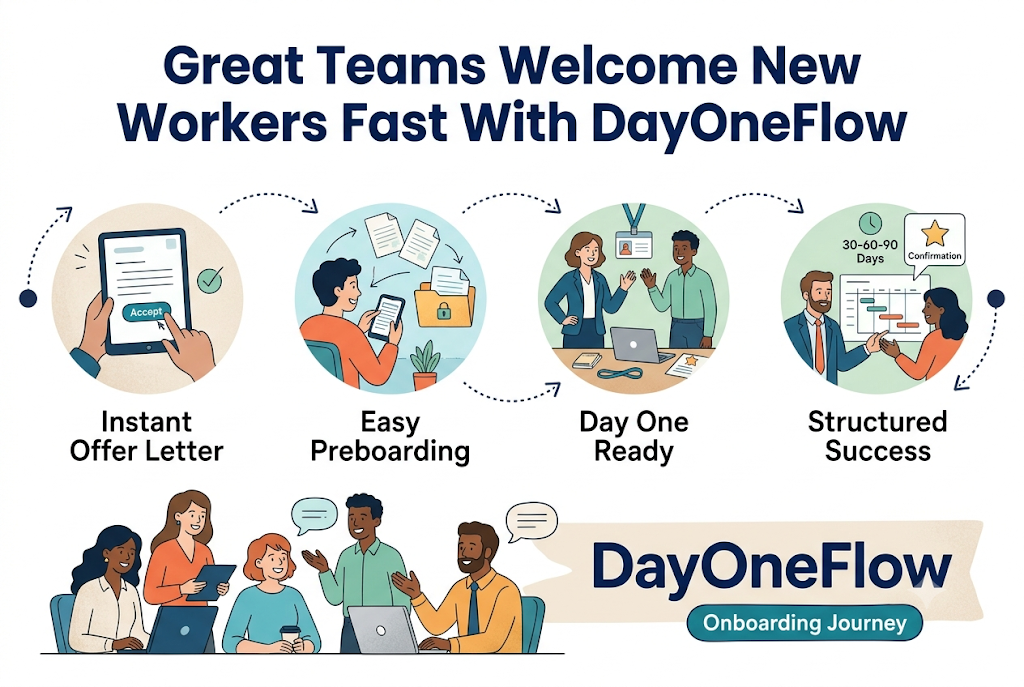
Joining a new crew brings big smiles, just like making friends on the playground. You want clear directions, helpful helpers, and zero confusion.
Office teams want every newcomer to feel welcome on day one. But stacks of messy paper slow down the fun.
Smart groups now use bright online helpers to make work life easy. DayOneFlow brings all these friendly tools together under one roof.
Introduction
Every great adventure starts with a warm hello. When someone joins a company, people call this path employee onboarding.
It means guiding a fresh person into their daily seat with zero headaches. Smart bosses pick modern Employee Onboarding Software to organize this path.
This system gathers every document and job duty in one safe space. So, new friends start their work journey with giant smiles.
Creating Job Invites Without Any Delay
Managers need to send official job invites with salary notes before work begins. Office teams call this paper an offer letter.
People waste whole afternoons when they write these sheets by hand. So, wise managers pick Offer Letter Management Software to finish the job fast.
This tool makes clean letters from ready templates in just two minutes. Candidates read the terms and tap to sign right on their screens.
“Our crew lost good talent because paper letters moved like snails,” says Priya, a project lead. “Now, our offers fly out in minutes.”
Setting Up Things Before Morning One
Waiting until your first morning to gather paperwork brings unwanted worry. Friendly teams solve this problem with Employee Preboarding Software.
Preboarding means getting everything ready before the official start bell rings. New hires read team handbooks from the comfort of their home sofas.
This early care removes doubts and builds joyful energy. Workers walk in on morning one with their minds calm and happy.
Now, let us see how modern tools beat slow paper habits:
| Joining Duty | Old Manual Routine | Modern Digital Way |
|---|---|---|
| Send Job Invite | Print sheets and wait on mail | Click once to send online |
| Collect IDs | Stand by noisy copy machines | Take a quick phone picture |
| Set Up Laptops | Write messy notes to IT desks | Send auto alerts instantly |
| Check Progress | Dig through heavy desk folders | Look at one clear screen |
Running Busy Office Tasks on Time
Offices juggle many small tasks for every fresh face. IT workers must deliver gear, while team leaders plan fun welcome chats.
Crews run Onboarding Workflow Automation so the computer sends reminders automatically. The system nudges helpers right when a task needs attention.
So, managers never drop the ball on important setup steps. Everyone knows their exact job and finishes on schedule.
Next, teams look at simple lists that guide daily work.
Checking Off Important Steps
A backpack checklist keeps your school books safe, and job lists help teams win too. Offices rely on a New Hire Onboarding Checklist to watch every small step.
Managers mark off tasks as soon as workers finish them. This habit protects the office from missing records or sad delays.
New hires also enjoy ticking off their own tiny goals. They feel proud as each green check mark lights up the screen.
Solid data shows clear checklists lift team happiness by over seventy percent. Happy workers stick with their company for years.
Logging In Through Any Cell Phone
People handle daily life on their phones, and work tasks should feel just as easy. Nobody wants to sit in a quiet corner filling out thick tax booklets.
A simple Employee Onboarding Portal lets workers upload papers from anywhere. They take a clear picture of their card and tap send.
They also see warm welcome videos from future teammates. Everything stays locked behind strong private passwords.
- For New Workers: Upload documents, read safety tips, and check your schedule.
- For Team Managers: Track incoming files, send welcome notes, and review forms.
- For IT Crews: Check laptop orders, assign email addresses, and share access keys.
Building a Strong Ninety-Day Roadmap
Mastering a new job takes steady practice and patient guides. That is why caring leaders build a 30 60 90 Day Onboarding Plan.
During the first thirty days, the new friend learns basic tools and meets peers. By sixty days, they help solve real projects with the group.
At ninety days, they fly on their own with big courage. Weekly chats give managers a chance to praise good wins and fix tiny errors early.
Watching Trial Periods Fairly
Most companies use a short trial period to see how everyone works together. Office teams call this learning window probation.
Companies pick Employee Probation Management Software to track these important weeks. The tool remembers dates so managers never skip a review chat.
Leaders write fair notes and measure real progress honestly. This open path keeps work calm, friendly, and crystal clear.
When the worker passes their test, the whole office shares the victory.
Handing Out the Permanent Badge
Passing your trial run feels like winning first prize at the school fair. You now stand as a permanent member of the team!
Offices turn to an Employee Confirmation Letter Generator to make this final winning certificate. The platform collects the good review notes and prints a clean letter right away.
Workers frame this note to show their hard work and success. Bosses save whole hours because they skip typing long letters from scratch.
Bringing Modern Support to Your Entire Team
Clunky paper piles waste daylight, cash, and human energy. Modern New Hire Onboarding Software solves these old headaches in one spot.
It keeps directors, helpers, and new employees smiling through the whole month. DayOneFlow unites all these friendly tools so teams thrive together.
Companies enjoy fast setups, clean records, and cheerful first days for every worker.
Frequently Asked Questions About DayOneFlow
What purpose does DayOneFlow serve for companies?
DayOneFlow gives office teams an easy online space to welcome new workers. It organizes every step from the first job invite to final job confirmation.
Can new employees finish tasks before their start day?
Yes, workers open a safe phone portal to sign papers and read handbooks early. This preboarding prep helps them walk in ready on day one.
Does the platform create job offers without delays?
Managers choose clean templates and make clear letters in just minutes. New hires read and sign right from their phones.
How does task automation help busy office managers?
The system sends out alert bells to helpers automatically. IT teams and bosses finish setup duties right on time.
Why do teams love using onboarding checklists?
Checklists show every open task on one neat screen. Workers and managers track progress without losing papers.
Can teammates access the system from their smartphones?
Yes, people log in from any phone or computer securely. They upload photo files and check schedules in seconds.
How does the ninety-day plan build worker confidence?
It breaks big job goals into simple steps for three months. New hires learn steadily without feeling lost or nervous.
How does the software handle trial test periods?
It tracks review dates and reminds leaders to hold feedback meetings. Teams write fair notes and track goals in one safe place.
Can the system make final confirmation letters automatically?
Yes, it turns good trial reviews into official sign-off letters. Managers print or send them with a single click.
Why do growing companies replace old paper forms?
Modern tools cut clutter, save precious hours, and make new hires happy. Work stays clean, quick, and organized every single day.
Wrap-Up for Brighter First Days at Work
Welcoming new teammates should bring genuine joy, not piles of paper. When you clear out the clutter, people learn fast and do great things together.
Smart online systems make every task bright, quick, and neat. DayOneFlow helps teams build awesome first days and strong work friendships that last.
Leave a Reply